 Naneedigital
Latest articles - page 175
![[Fix] Music, Pictures, Videos or Downloads Folders Merged Accidentally and Point to the Same Location](https://naneedigital.com/storage/img/images_2/fix_music_pictures_videos_or_downloads_folders_merged_accidentally_and_point_to_the_same_location.png)
[Fix] Music, Pictures, Videos or Downloads Folders Merged Accidentally and Point to the Same Location
How do I recover a merged file? How do I restore my Downloads folder? How do I restore the default folder location in Windows 10? How do I reset my de...
![How to Delete the Windows.old folder in Windows 10 [Previous versions of Windows]](https://naneedigital.com/storage/img/images_2/how_to_delete_the_windowsold_folder_in_windows_10_previous_versions_of_windows.png)
How to Delete the Windows.old folder in Windows 10 [Previous versions of Windows]
How to delete the Windows. old folder using Temporary files settings Open Settings. Click on System. Click on Storage. Under the Storage sense section...

Windows 10 User Shell Folders Restore Default Paths
List of Shell folders & their default locations in Windows 10 Shell Folder Name — Value type REG_EXPAND_SZ Location Personal %USERPROFILE%\Documen...

Fix for “An App Default was Reset” Windows 10 Resets File Associations
How to FIX An app default was reset notification in Windows 10. Method 1. Scan your System for Viruses/Malware. Method 2. Remove the latest Windows 10...
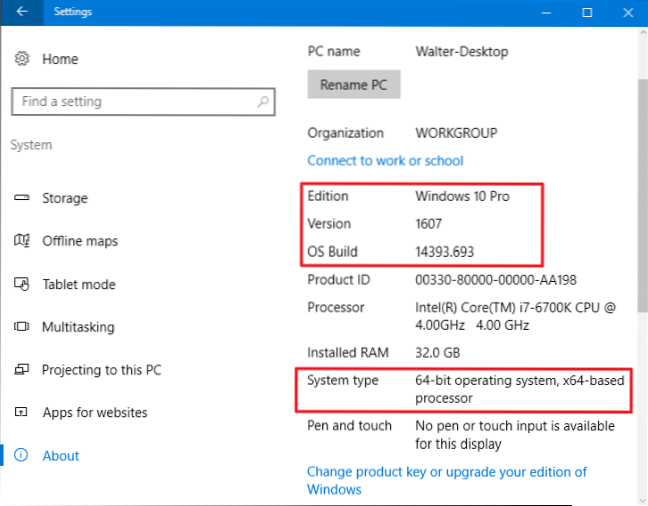
How to Find Your Windows 10 Build Number, Version, Edition and Bitness
In the Settings window, navigate to System > About. Scroll down a bit and you'll see the information you're after. Navigate to System > About an...
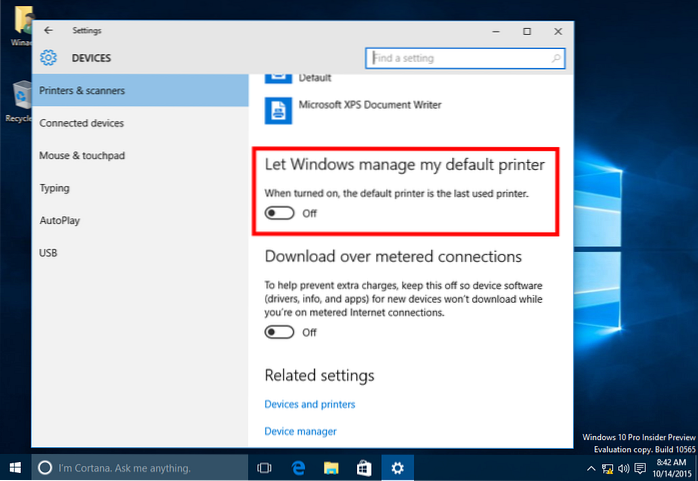
Stop Windows 10 from Changing the Default Printer Automatically
How to stop Windows 10 from changing the default printer Open the Settings app. Go to the following page Settings -> Devices -> Printers and Sca...

How to Reinstall Microsoft Print to PDF After Deleting it Accidentally
1. Reinstall Microsoft Print to PDF using “Windows Features” Right-click Start, and click Run. In the Run dialog, type optionalfeatures.exe and click ...
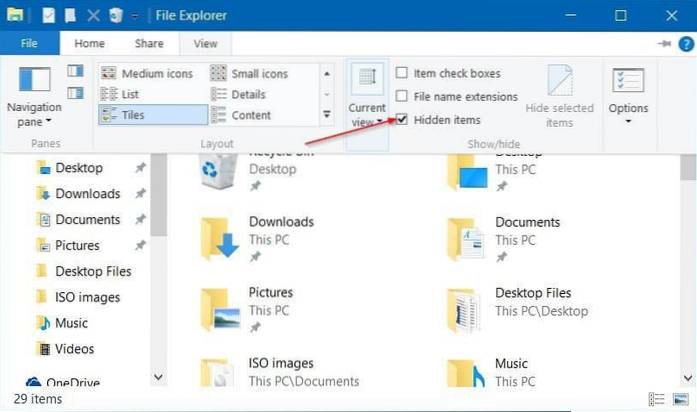
How to Save Windows Spotlight Lock Screen Wallpapers
Just click Start and then choose Settings (or hit Windows+I). On the Settings screen, click Personalization. In the Personalization window, select the...
![[Fix] Quick access Pinned Shortcuts Stuck or Not Working (Windows 10)](https://naneedigital.com/storage/img/images_2/fix_quick_access_pinned_shortcuts_stuck_or_not_working_windows_10.png)
[Fix] Quick access Pinned Shortcuts Stuck or Not Working (Windows 10)
Click Quick access. In the right pane or the folder view, select the pinned item that's stuck, press the Ctrl key, and select another item that you wa...
![[Fix] Windows Photo Viewer Opens Multiple Windows When Multiple Files are Selected](https://naneedigital.com/storage/img/images_2/fix_windows_photo_viewer_opens_multiple_windows_when_multiple_files_are_selected.png)
[Fix] Windows Photo Viewer Opens Multiple Windows When Multiple Files are Selected
How do I stop Windows photo viewer from opening? How do I fix Windows Photo Viewer? How do I select multiple photos in Windows Photo Viewer? How do I ...

Pin Recent folders or Recent Places to the Explorer Navigation Pane in Windows 10
To Pin Recent Folders to Quick Access in Windows 10, Right-click on the pinned Recent folders entry in the left pane of File Explorer, and select Unpi...
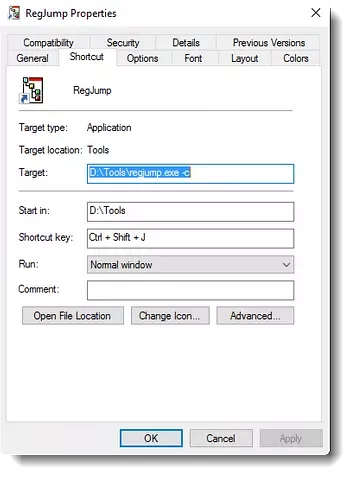
Jump to a Registry Key (Stored in Clipboard) Directly Using RegJump
Here is how to directly jump to a registry key using RegJump. Download RegJump from Microsoft, and extract the executable to a folder of your choice. ...